
‘Documents’ Archives
Demo Video & Sneak Peek Of BlackBerry Tag - Transferring Files Using NFC
 November 18th, 2011 @ 10:41 AM | By: Mauricio
Last month RIM officially announced BlackBerry Tag, a new way for BlackBerry smartphone users with supported devices to connect with one another and share multimedia content. BlackBerry smartphones with NFC will also be able to issue payments (like a credit card) but Tag is meant to allow sharing of content between users. From IntoMobile:
After checking out their new smartphones, RIM gave us a sneak peek at BlackBerry Tag, which will really start putting near-field communications to work. Just as described, BlackBerry tag will allow users to quickly and easily share content between BlackBerry devices; by putting them butt-to-butt, you’ll be able to transfer ringtones, voice notes, contacts, images, videos, calendar items, documents, spreadsheets, PowerPoint presentations, PDFs, browser links, and whatever else third part developers chose to support. It seems like the NFC itself is mostly just used to initiate a Bluetooth transfer, but that’s still pretty great considering how much of a pain it can be to pair up devices.
Very cool and very useful. Besides for being able to share documents and multimedia content, I’m sure developers will come up with creative ways to take advantage of BlackBerry Tag in apps and games. If you’re a developer you can check out this blog post at the Inside BlackBerry Developer’s Blog for more info.
via IntoMobile
 Filed Under Previews & Reviews
 1 Comment »

RIM Unveils BlackBerry Tag - Coming Soon To BlackBerry Smartphones
October 10th, 2011 @ 10:41 AM | By: Mauricio
RIM today announced BlackBerry Tag, a new way for BlackBerry smartphone users to connect and share things using a supported device’s NFC capabilities. This feature will be available to the recently launched BlackBerry Curve and Bold smartphones in a BlackBerry 7 OS update. Here’s some info on BlackBerry Tag:
BlackBerry® Tag, which will be incorporated in the next BlackBerry® 7 OS update*, will allow users to share contact information, documents, URLs, photos and other multimedia content by simply tapping their BlackBerry smartphones together. BlackBerry Tag will also enable friends to instantly add one another as contacts on BBM™ (BlackBerry® Messenger).
RIM didn’t mention when this feature or OS update will be available but seeing them mention APIs and developers in the press release makes me think they’ll say something about it at DevCon Americas 2011. Stay tuned and check out the full press release below for more info!
Filed Under News & Rumors
1 Comment »

RIM Mobilizes Microsoft SharePoint On BlackBerry
October 3rd, 2011 @ 11:56 AM | By: Mauricio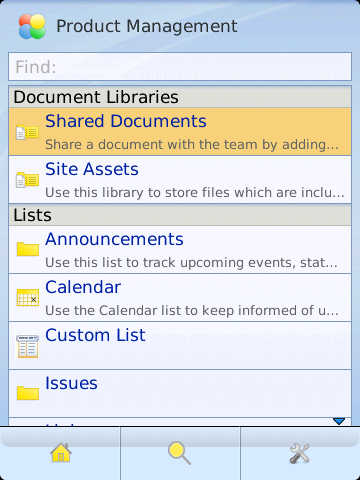
RIM today announced the BlackBerry Client for Microsoft SharePoint. BlackBerry smartphones are connected to SharePoint servers with the BlackBerry Enterprise Server software, allowing a cost-effective solution for businesses and government organizations while on the go. Features include:
- Client app integration with core BlackBerry features and functions such as email, calendar, browser, and Universal Search providing an intuitive user experience
- Check-out, check-in, and versioning of files reflected on the SharePoint server
- Microsoft Office document editing using Documents To Go® (pre-installed on BlackBerry smartphones) to download, create, revise and upload documents
- Access to Blogs, Wikis and Lists and the ability to update from a BlackBerry smartphone
- Content searches across multiple SharePoint sites from a BlackBerry smartphone
For more info go to blackberry.com/sharepoint or check out the full press release below.
Filed Under News & Rumors
No Comments »

SugarSync Updates BlackBerry App With Direct Folder & SD Card Sync, Added Security
August 23rd, 2011 @ 11:54 AM | By: Mauricio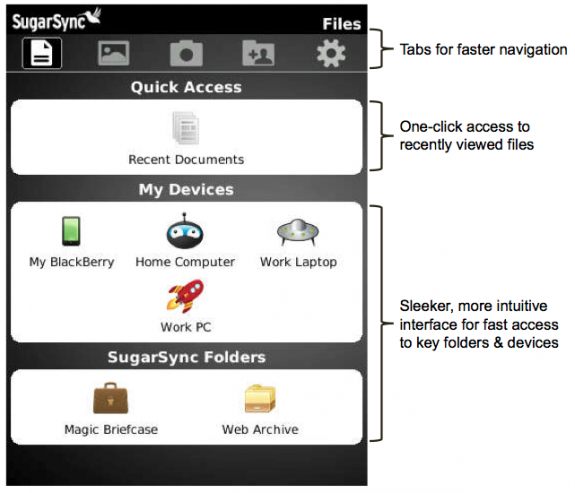
SugarSync let me know they’ve released a new version of their application for BlackBerry smartphones. SugarSync offers a website, desktop and mobile applications where users can easily store and share files in a Personal Cloud for access on the go, at home, the office or a random computer with web access. New features include:
- Direct folder sync for offline use - Blackberry users can now select any folder on any computer and sync it locally to their Blackberry for offline use
- SD card sync to the cloud - users can sync photos directly to the cloud without the need for cables or connecting to your PC
- Added security with pin code - get an added layer of protection with the ability to enable a pin code in order to access the SugarSync app
“At SugarSync, we constantly strive to enhance our mobile apps to provide even greater productivity and efficiency for users on the go,” said Laura Yecies, CEO of SugarSync. “With SugarSync, users can be as productive from their mobile devices as from their computers. Whether online or off, users can access the files, photos, music and other data they need.”
The SugarSync app for BlackBerry is available as a free download and they offer a free 5GB version of the full service, with paid plans starting at 30 GB for $4.99/month or $50/year. For more info and to get the app go to sugarsync.com or check out the full press release below.
Filed Under Apps & Games
No Comments »
RDM+ Remote Desktop App For BlackBerry PlayBook Now Available For PC & Mac
August 4th, 2011 @ 11:36 AM | By: Mauricio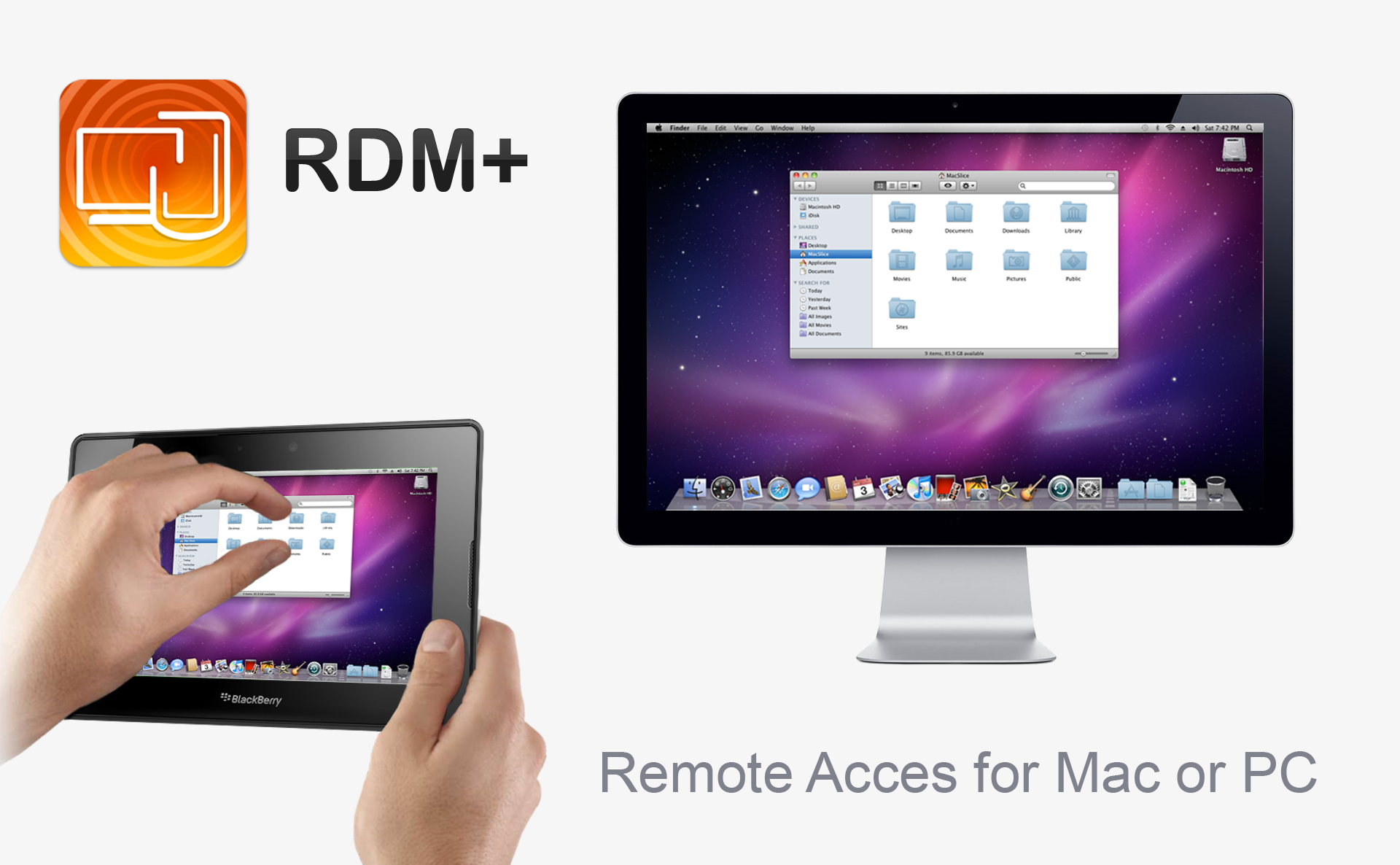
SHAPE Services let me know today they’ve released a new application for the BlackBerry PlayBook called RDM+. With this app PC and Mac users can get access to their computer while on the go right from their PlayBook. Here’s the official description:
Easy-to-setup and reliable application providing fast and secure remote access to your Mac or Windows computers from BlackBerry® PlayBook™. Connect to as many remote computers as you want at no additional cost!
You can send and receive emails, edit text documents, surf web, manage files and basically do everything you usually do sitting in front of your home or office computer.
No need to adjust firewall settings or configure your wireless router, the application is extremely easy to setup. With clean and simple interface, you will be ready to start using the application in a few seconds!
Direct mouse control and quick commands allow swift and efficient remote control.
In order for this app to work you have to install RDM+ Desktop on every computer you’d like to get access to from your PlayBook, a free download from rdmplus.com or for direct download links click here for PC and here for Mac (OS 10.5+). RDM+ for PlayBook is now available in BlackBerry App World for$9.99.
Filed Under Apps & Games
No Comments »
BlackBerry PlayBook Tablet OS v1.0.7.2650 Now Available! Updates For Languages, Bridge App & Multimedia
July 19th, 2011 @ 8:56 AM | By: MauricioAnd it’s finally here! Tablet OS version 1.0.7.2650 for the BlackBerry PlayBook is now available for download and includes support for new languages, BlackBerry Bridge updates and multimedia enhancements. Among the new features are support for saving attachments, ZIP files, portrait support in pictures app, zooming in video app and 15 new languages. To learn everything about Tablet OS 1.0.7 read the official user guide here or check out the full changelog below. If you need help updating your Tablet OS watch our video here for a step-by-step guide.
Let me know how the new version works for you in the comments!
Filed Under Apps & Games, News & Rumors, Operating System Updates
4 Comments »
Updated: BlackBerry PlayBook Tablet Official User Guide Version 1.0.7 Now Available!
July 19th, 2011 @ 7:27 AM | By: Mauricio
While we continue to wait for the Tablet OS update to version 1.0.7 for the BlackBerry PlayBook, RIM has gone ahead and published the new, official user guide for this release. The user guide covers info on things like BlackBerry Bridge, pictures, videos, music, Video Chat, Facebook, Word/Sheet To Go and more. I’m not sure what’s new in Tablet OS 1.0.7 but if you find something while reading through the user guide be sure to mention it in the comments.
Check out the full user guide below!
Filed Under Guides & Tips
1 Comment »
SugarSync App For BlackBerry Updated To Version 2.0 - Faster, Revamped Interface & Other Improvements
June 9th, 2011 @ 1:53 PM | By: Mauricio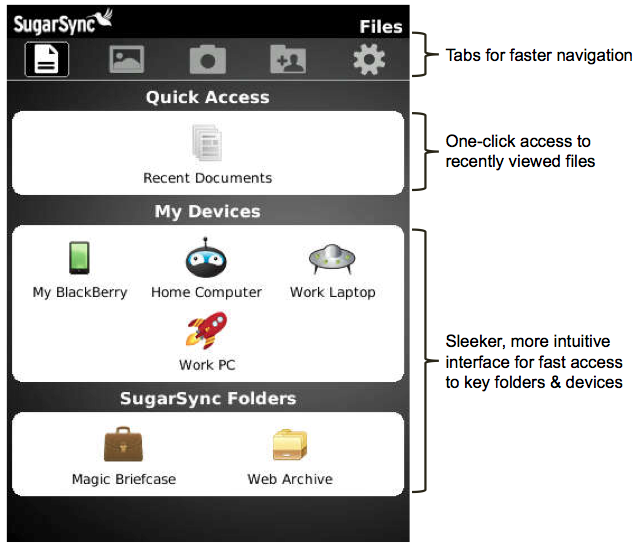
The SugarSync team let me know they’ve released version 2.0 of their application for BlackBerry smartphones, a big update that should make many of their fans happy. This update includes a completely revamped user interface, performance and reliability improvements, simplified sharing and a few other changes. Features of the app include:
- Get anytime, anywhere access to all of your files, photos, and music
- Backup photos taken on your Blackberry to your computers (without wires!)
- Share any file via email, or grab a link to it to share on any app, including Facebook
- Stream your entire music collection
- Edit documents locally (using a document editor), then sync it your computers
- Earn free storage by sharing SugarSync with your friends
- And much more!
If you’re not a member of SugarSync yet you can get a 5GB account for free or upgrade to a premium account with more space. For more info, to register and download the SugarSync app for BlackBerry or other platforms, go to sugarsync.com or try their premium service free for 30 days here. Full details and screenshots for this update available below!
Filed Under Apps & Games
1 Comment »



- Accessories
- Apps & Games
- Articles & Editorials
- BBRocks! Announcements
- Contests & Giveaways
- Deals & Sales
- Desktop & Server Software
- Device Info & Unboxing
- Events & Live Coverage
- Guides & Tips
- Just4Fun & Humor
- Music & Ringtones
- News & Rumors
- Operating System Updates
- Phone Store
- Polls
- Previews & Reviews
- Random & Misc
- Sites & Services
- Themes & Wallpapers
- Uncategorized